
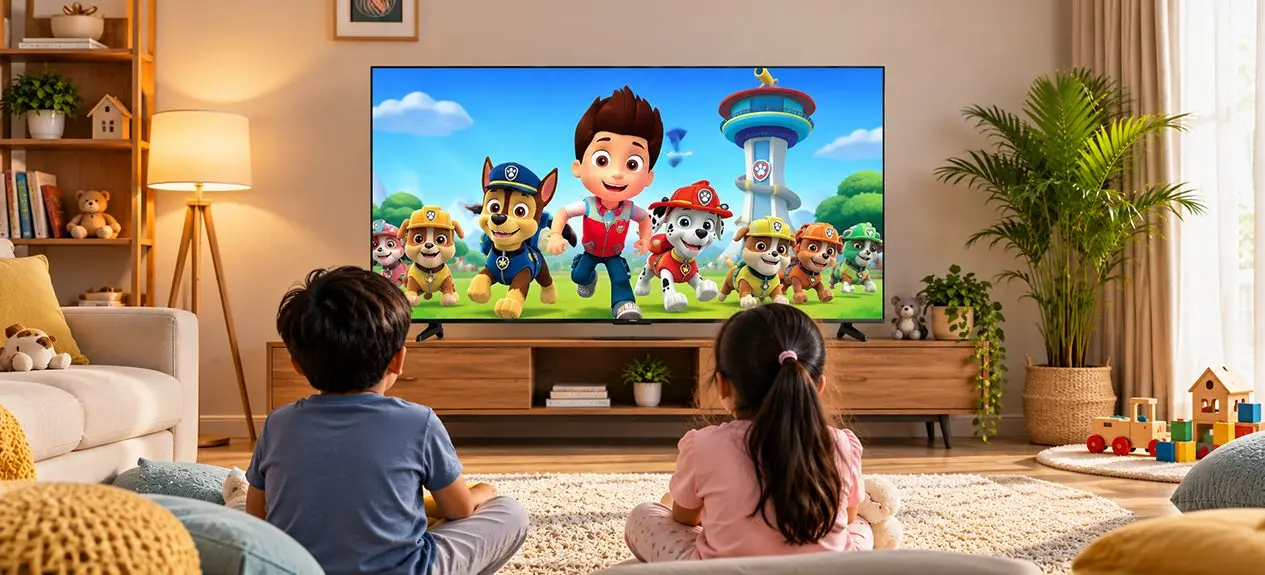

TV is often part of a child’s everyday routine, whether it’s cartoons after school, a weekend movie, or a little screen time before dinner. The concern for parents isn’t usually whether children can watch TV at all, but how to make that screen time easier on their eyes.
So, is TV bad for kids’ eyes? Not on its own. Watching TV doesn’t automatically damage a child’s eyesight, but long, uninterrupted stretches of viewing can bring on temporary eye strain, dryness, headaches, and that tired, heavy-eyed feeling. A few small changes to viewing distance, room lighting, screen settings, and daily habits can help make screen time more comfortable for young viewers.
Here’s how to prevent eye strain while keeping TV time comfortable for children.
Why TV Causes Eye Strain in Children
A child’s eyes are not yet fully formed, and becoming engrossed in an activity that they’re viewing may require them to constantly focus at the same distance for extended periods of time. In addition, when watching a cartoon, movie, or computer game, a child blinks much less, which can leave their eyes dry or tired.
The main issues usually come down to:
- Reduced blinking: Children may blink less while concentrating on the screen, which can contribute to dry or irritated eyes.
- Constant focusing: Looking at the same distance for a prolonged period can tire the muscles responsible for focusing.
- Glare and reflections: Light from windows or lamps reflecting off the screen can make the eyes work harder.
- Long, uninterrupted viewing: Stretched-out sessions give the eyes fewer chances to relax and refocus.
None of this means TV has to disappear from a child’s routine. It just means building screen time eye care into how they watch it.
Screen Settings That Protect Young Eyes
The TV itself can also play a role in making viewing more comfortable. A few display features and settings are particularly useful when choosing a family TV.
1. Low Blue Light and Flicker-Free Modes
Blue light from screens has received a lot of attention, but it’s important to separate eye comfort from claims about permanent eye damage. Excessive evening screen exposure can affect sleep patterns, while screen flicker may contribute to discomfort or headaches in some viewers.
A low blue light TV for children can therefore be useful, particularly for evening viewing, when reducing blue-light output may help limit the impact on sleep. Flicker-free technology can also make the viewing experience more comfortable by reducing visible or imperceptible fluctuations in screen brightness.
When choosing a family TV, look for recognised eye-comfort certifications and dedicated viewing modes rather than assuming that a lower blue-light setting alone makes screen time completely safe.
2. Brightness and Ambient Light
A TV screen shouldn’t look brighter than everything around it. Watching a bright screen in an otherwise dark room creates a stark contrast that can feel uncomfortable, especially over longer sessions.
Set the TV brightness to match the room rather than defaulting to the highest setting. Plenty of modern TVs also offer automatic brightness or picture adjustments that respond as the room’s lighting changes.
Haier’s smart TVs build in picture technologies meant to optimise viewing across different conditions, while select models carry TÜV Rheinland-certified eye-care displays. These features support good viewing habits, rather than replace them.
Healthy Viewing Habits That Can Reduce Eye Strain
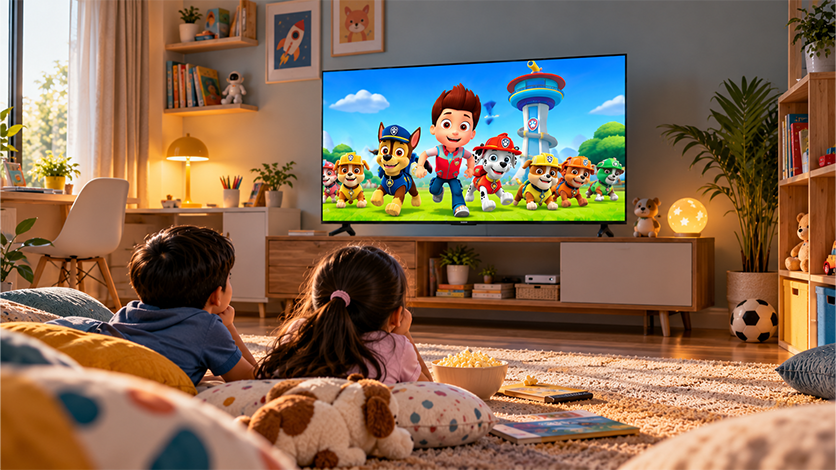
Want to know the most effective way to reduce eye strain while watching TV? Start with the basics: don’t let children sit too close, encourage regular breaks, and give their eyes a chance to look away from the screen.
1. Distance, Breaks, and the 20-20-20 Rule
There’s no fixed viewing distance that works for every child or every TV. As a simple rule, keeping them around 8 to 10 feet away is a good starting point. The bigger point is to make sure they aren’t sitting right in front of the screen or moving closer just to see it clearly.
The safe TV viewing distance for kids also means discouraging them from creeping closer when they can’t see clearly. If a child regularly sits unusually close, squints, or complains the picture’s hard to make out, it may be worth getting their eyes checked.
For breaks, the 20-20-20 rule is one kids can remember: every 20 minutes, look at something about 20 feet away for at least 20 seconds. With younger children, even just pausing between episodes or getting them to glance around the room can make regular breaks easier to follow.
Screen time limits matter here too. Rather than letting TV run indefinitely, set age-appropriate daily limits and balance it against sleep, physical activity, schoolwork, and time outdoors.
2. Room Lighting
Pitch darkness isn’t actually the ideal setup for watching TV. Keep a soft lamp or some ambient light on so the screen isn’t the only bright source in the room.
At the same time, avoid placing the TV directly opposite a strong window or under harsh lighting that creates reflections on the screen. A little adjustment to the TV’s position, curtains, or room lighting can make viewing noticeably more comfortable.
Choosing an Eye-Comfort TV for Kids
Eye comfort depends on more than how bright a TV looks. Look for features that support comfortable viewing alongside the usual resolution, brightness, and sound specifications.
Some useful features include:
- Low blue light modes: Helpful for reducing blue-light output, particularly during evening viewing.
- Flicker-free technology: Designed to minimise brightness fluctuations that may contribute to discomfort.
- Anti-glare screens: Useful in rooms where windows and lamps create reflections.
- Automatic brightness adjustment: Helps keep the screen from appearing excessively bright as room lighting changes.
- Motion processing: Features such as MEMC can make fast-moving content appear smoother, which can be useful for animated shows and sports.
- Parental controls: Kids’ profiles and screen-time controls can help parents manage what children watch and for how long.
If you’re buying a TV for the family, Haier’s Google TVs are worth a look. Select models come with eye-care features, while smart controls can help parents keep track of how much and when children are watching. Just make sure you also consider the TV’s size and picture quality.
Signs of Eye Strain to Watch For
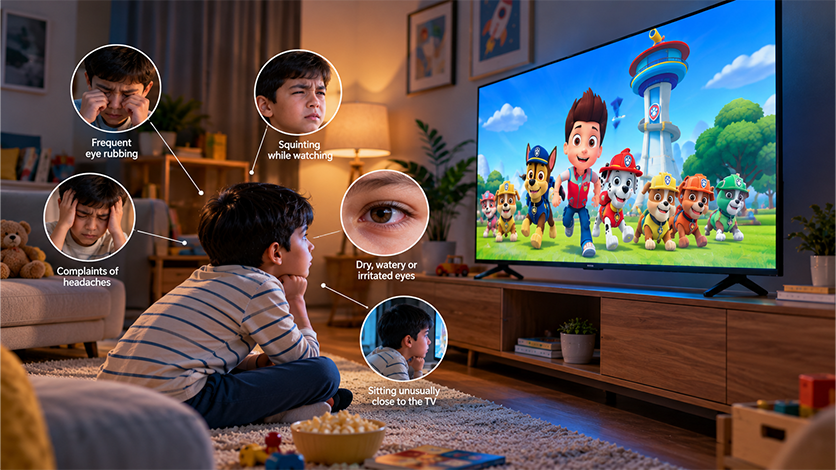
Children don’t always know how to describe tired or uncomfortable eyes. Parents may notice changes in their behaviour instead.
Watch for signs such as:
- Frequent eye rubbing or blinking
- Sitting unusually close to the TV
- Squinting or tilting the head while watching
- Complaints of headaches or tired eyes
- Dry, watery, or irritated eyes
- Difficulty focusing after watching for a while
- Asking to increase the volume or move closer because they can’t see clearly
Occasional tired eyes after a long screen session aren’t necessarily a cause for concern. But if symptoms happen frequently, continue after screen time ends, or your child regularly struggles to see the screen, speak to an eye-care professional.
Conclusion
Good screen time eye care isn’t about keeping children away from TVs altogether. It’s about making the viewing environment a little more comfortable and helping kids build healthier habits around screens along the way.
Keep a comfortable distance, build in regular breaks, get the brightness and room lighting right, and where possible, choose a TV with features like low blue light and flicker-free technology. Explore Haier’s range of smart TVs with select eye-care features that can fit naturally into that approach, giving families a bit more control over how children watch.
The goal was never to micromanage every minute of TV time. It’s to build simple habits that make everyday screen time easier on young eyes.
FAQs
Which TV brand is good for the eyes?
Look for TVs with eye-comfort features such as low blue light, flicker-free technology, and brightness adjustment. Haier offers select TVs with TÜV Rheinland-certified eye-care displays.
Is watching TV bad for children’s eyes?
TV isn’t inherently bad for children’s eyes, but long, uninterrupted viewing can cause temporary dryness, tired eyes, or headaches.
How far should kids sit from the TV?
A practical starting point is around 8-10 feet, although the ideal distance also depends on the TV’s screen size and viewing comfort.
Does low blue light reduce eye strain?
Low blue light settings can make viewing more comfortable, particularly at night, but they don’t eliminate the effects of prolonged screen use.
How long should kids watch TV?
Set age-appropriate limits and include regular breaks, outdoor play, sleep, and other activities in their daily routine.
Do flicker-free TVs help children’s eyes?
Flicker-free technology can reduce brightness fluctuations that may contribute to discomfort or headaches in some children.